
LinkedIn for Client Acquisition? Everything You Need to Know for 2027
LinkedIn outreach is common B2B practice. Which signals show the right moment in 2027, which tools support you, and what to look into before you start.
How Visible Is Your Business in AI Search?
Find out in 60 seconds. Our free AI Visibility Checker scans ChatGPT, Perplexity, and Google AI Overviews for your brand.
Check Your AI Visibility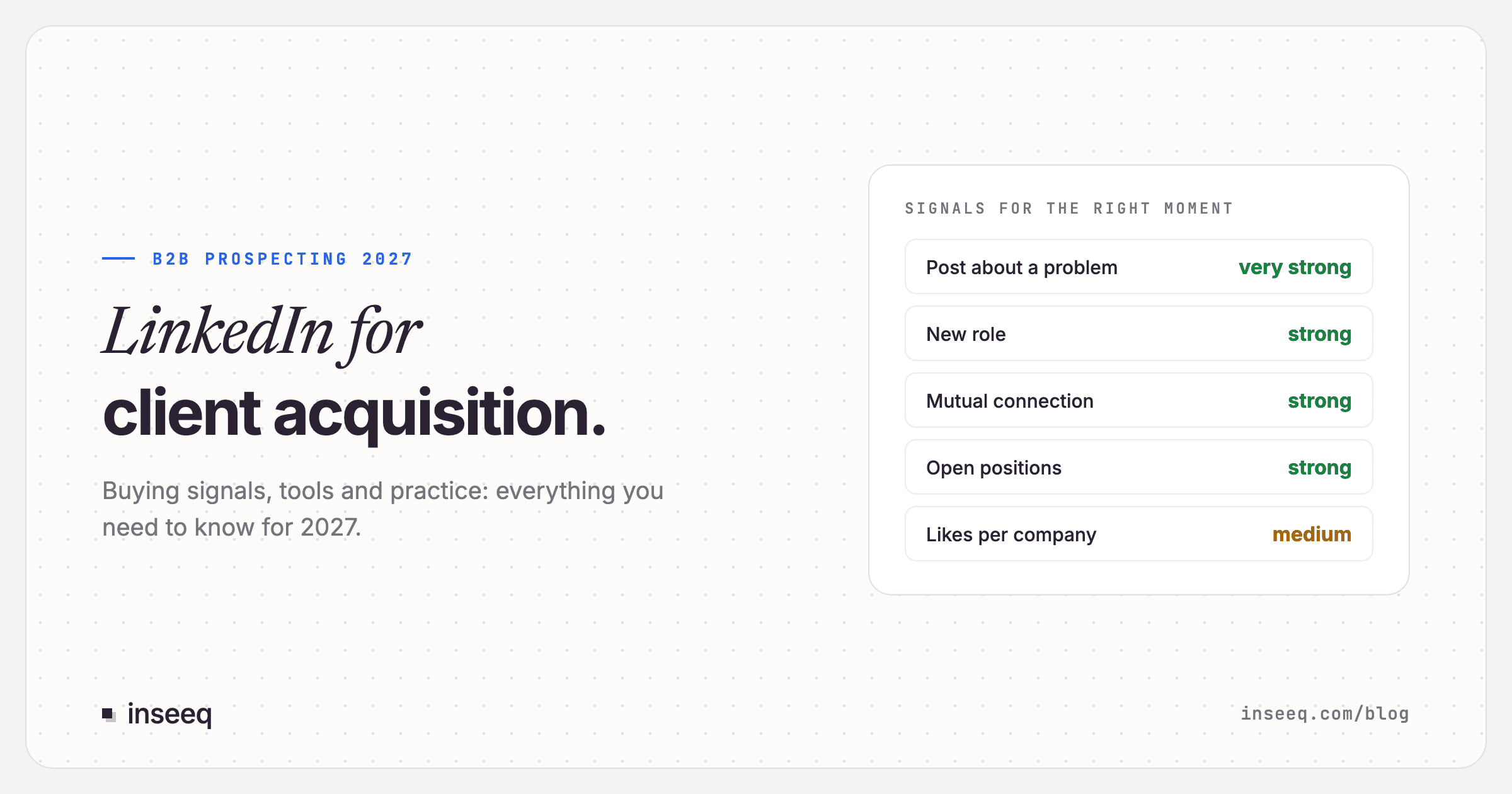
LinkedIn for Client Acquisition? Everything You Need to Know for 2027
LinkedIn remains one of the most effective B2B acquisition channels in 2027. Sales teams connect with potential clients, comment on posts and start conversations that way. That is common practice. What has changed: more requests no longer bring more conversations. What matters is the right moment, a genuine reason to connect, and tools that speed up research.
This article shows which signals work for client acquisition on LinkedIn, which tools are available, and what to look into before you start.
The short answer
LinkedIn outreach is common B2B practice. Before you start, check which rules apply to your specific use case.
Signals beat volume. Connection acceptance holds steady at around 27 percent, but reply rates are falling. Relevance comes from the right trigger: a new role, open positions, a post about a specific problem.
Research and signal tools are the biggest lever. They find the right people at the right time. The conversation itself remains a human job.
Before you start: look into your own use case
Outreach on LinkedIn touches several sets of rules. These include competition law (in Germany, the Act against Unfair Competition, UWG), the GDPR, and LinkedIn's User Agreement. How these rules apply depends on your approach: your audience and country, the content and form of your messages, and the tools you use.
Topics to look into before you start:
Contacting people: which forms of outreach are common and permitted for your audience, for example connection requests, direct messages or InMails?
Handling data: on what basis do you process profile data, how do you inform contacts, and how do you handle objections?
Tools: what does LinkedIn's User Agreement say about the tools you want to use?
We are not a law firm and this is not legal advice. For a binding assessment of your use case, talk to a lawyer specializing in competition and data protection law.
Which signals work for client acquisition on LinkedIn?
More requests no longer bring more conversations. An independent analysis of more than 180,000 connection requests (Reachium, January 2025 to August 2026) found that 27.1 percent were accepted. But the share of accepted connections that replied fell from 32.2 percent (2025) to 22.0 percent (2026). Accounts sending 10 to 19 requests per day reached higher acceptance (32.0 percent) than accounts sending 20 to 29 (26.7 percent). Expandi's platform data from more than 13 million requests shows the same trend.
What counts instead is the trigger. A signal tells you when a person or company has a topic you can help with right now. It also gives you the genuine reason for a connection request.
1. A lead's new position
Someone starts a new role or joins a new company. In their first months, new decision-makers review existing processes and tools and often have a mandate for change. In Sales Navigator you find them via the "Changed jobs in last 90 days" filter or alerts on saved leads. A former customer or champion moving to a new company is especially valuable.
2. Growth signals: open positions and headcount growth
A company advertises several roles in an area you sell into, for example three sales roles in one month. New people need new processes, tools and support. Job ads often reveal the tools in use and current priorities as well.
3. Funding rounds
A new round is a public commitment to growth and investment. Practitioners report that the first week after the announcement is crowded because every vendor writes at once. The window from roughly week three onward, when planning becomes concrete, tends to work better.
4. Posts about a problem
The strongest signal on LinkedIn. Someone writes publicly about a problem your offer solves or asks for recommendations. A useful comment under the post is often the best first step: it is visible, helpful, and creates the reason for a later connection.
5. Comments, including on competitors' posts
A comment takes effort and shows real interest in a topic. People commenting on posts in your field, or on your competitors' posts, are actively engaged with the category right now.
6. Likes and reactions
A single reaction is a weak signal. It becomes strong in aggregate: if several people from the same company react to content on your topic within a few weeks, a whole team is probably working on it.
7. Profile views and engagement with your content
People who view your profile or comment on your posts already know you, so connecting has a natural reason. Premium and Sales Navigator accounts show viewers from the last 90 days.
8. Mutual connections
According to LinkedIn, buyers are five times more likely to engage when outreach comes through a mutual connection. An introduction by a customer or colleague is often the most natural route into a conversation. Sales Navigator surfaces these paths through TeamLink.
9. Website visits and events
Visitor identification tools show which companies visit your website. Some vendors identify only companies, others also individual people. Which option suits you is worth clarifying upfront with data protection in mind. Event attendee lists show interest in a topic, but not budget.
Signal | Strength | Where to find it |
|---|---|---|
Post about a specific problem | very high | feed, signal tools |
New role of a decision-maker | high | Sales Navigator, CRM sync |
Mutual connection, introduction | high | Sales Navigator (TeamLink) |
Several open roles in one area | high | job ads, data providers |
Comments on your topic | medium to high | signal tools, feed |
Funding round | medium | press, databases |
Likes, aggregated per company | medium | signal tools |
Profile view | medium | LinkedIn Premium |
Website visit at company level | medium | visitor identification |
A signal is a reason for a conversation. It gives you the context for a connection and a helpful first contact. Whether a signal really fits is a call for someone who knows your market.
Automation tools: a short overview
Tool | Focus | Entry price (as of 09/2026) |
|---|---|---|
LinkedIn Sales Navigator | LinkedIn's own sales tool: filters, alerts, TeamLink | Core from about $120 per month |
Lemlist | email and LinkedIn in one sequence, signals add-on, French vendor | Multichannel €109 per month (€87 annual) |
HeyReach | LinkedIn automation for teams and agencies, multiple senders | from $79 per month |
Amplemarket | sales platform with AI signals, sequences and dialer | from $600 per month (annual, 2 users) |
Unify | signals (job changes, hiring, web intent) and sequences | free, Base from $20 per user |
Nooks | AI dialer for phone prospecting, not a LinkedIn tool | on request |
Clay | data enrichment and signals from 150+ sources | free, Launch from $167 per month |
Waalaxy | LinkedIn and email, browser extension, French vendor | free, Pro from €19 per month |
La Growth Machine | LinkedIn, email and calls, French vendor | from €60 per identity |
Teamfluence | LinkedIn signals: engagement, profile and page visits | €449 per month |
Two categories are worth separating:
Research and signal tools such as Sales Navigator, Clay, Unify or Teamfluence find the right people and the right moment. That is where the biggest lever is.
Automation tools such as HeyReach, Waalaxy, Expandi, La Growth Machine or the LinkedIn steps in Lemlist carry out actions directly on LinkedIn, such as connection requests and messages. These tools are widely used. LinkedIn governs the use of third-party software in its User Agreement. Before you use one, check what applies to your account.
LinkedIn does not publish an official weekly limit for connection requests. The often-quoted figure of around 100 per week comes from community experience.
In our experience, research, signals, data hygiene and reminders are the parts most worth automating. Connecting and conversations benefit from a personal touch and small numbers. That matches what the data shows: fewer, better-reasoned requests get more replies.
A LinkedIn process for 2027
Define target accounts. Which companies and roles truly fit? A tight list beats a broad one.
Watch signals. Decide which two or three signals matter most for your offer and set up alerts for them.
Connect with a reason. Comment first, then connect without a sales note, referring to the shared context.
Build the relationship. Share expertise, react to posts, answer questions.
Connect other channels. Lead magnets, events, newsletters and meeting bookings on your website complement LinkedIn.
Frequently asked questions
Is LinkedIn outreach common practice?
Yes. Connection requests, comments and messages are part of everyday B2B sales. LinkedIn itself offers tools for this, such as Sales Navigator and InMails.
What should I clarify legally before I start?
Check which rules apply to your specific use case, especially regarding competition law, data protection and LinkedIn's User Agreement. For a binding assessment, a lawyer is the right person to ask.
Which signal is strongest?
A public post about a specific problem your offer solves. Next come role changes of decision-makers and introductions through mutual connections.
How many connection requests should I send per week?
LinkedIn does not publish an official limit. The data shows, however, that smaller, targeted volumes reach higher acceptance rates than large ones.
Which tools do I need to get started?
Sales Navigator for filters and alerts plus one tool for signals or enrichment is often enough to start. More tools pay off once the process is in place.
Need help with LinkedIn outreach? inseeq is happy to help, from choosing the right signals to building the process and running it. Learn more about outbound with inseeq or get in touch.
*Note: this article is not legal advice.*
Sources (as of 27 Sep 2026)
Reachium, LinkedIn Outreach Benchmarks 2026: https://www.reachium.io/research/linkedin-outreach-benchmarks-2026
Expandi, LinkedIn Outreach Benchmarks 2026: https://expandi.io/blog/linkedin-outreach-benchmarks-2026/
LinkedIn Sales Blog on TeamLink: https://www.linkedin.com/business/sales/blog/b2b-sales/vast-networks--how-to-connect-your-sales-circles-with-teamlink
LinkedIn User Agreement: https://www.linkedin.com/legal/user-agreement
Pricing: business.linkedin.com/sales-solutions/compare-plans, lemlist.com/pricing, heyreach.io/pricing, amplemarket.com/pricing, unifygtm.com/pricing, clay.com/pricing, waalaxy.com/pricing, lagrowthmachine.com/pricing, teamfluence.com/pricing

Hans-Peter Frank
Co-founder
How Visible Is Your Business in AI Search?
Find out in 60 seconds. Our free AI Visibility Checker scans ChatGPT, Perplexity, and Google AI Overviews for your brand.
Check Your AI Visibility