
Webflow Just Raised Prices Again. Time to Self-Host.
Webflow's 2026 price hike is the final straw. Here's how to migrate to a self-hosted site using Lovable, Claude Code, Next.js, or WordPress.
How Visible Is Your Business in AI Search?
Find out in 60 seconds. Our free AI Visibility Checker scans ChatGPT, Perplexity, and Google AI Overviews for your brand.
Check Your AI Visibility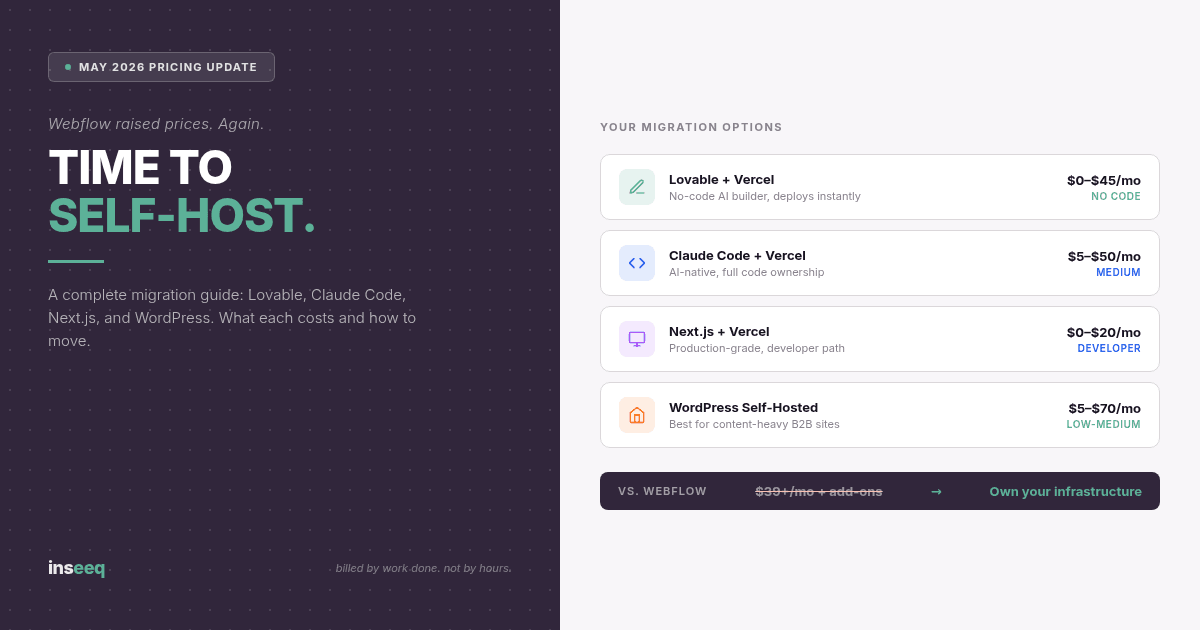
Migration guide comparing Webflow alternatives including Lovable, Claude Code, Next.js, and WordPress self-hosting options with pricing
What Webflow Changed in May 2026 (and Why It Stings)
Your Webflow bill just went up. Again.
On May 13, 2026, Webflow rolled out its most significant pricing restructure in years. The headline move: merging the CMS and Business site plans into a new "Premium" tier at $25/month (billed annually) or $39/month on monthly billing. That's a 34% increase for monthly CMS plan users overnight.
Here's what actually changed:
CMS plan users get auto-migrated to Premium. CMS item limits jump from 10,000 to 20,000, which sounds generous until you realize you were probably nowhere near 10,000 items anyway.
Business plan users kept most features but lost half their included bandwidth. Webflow dropped the included bandwidth from 100GB to 50GB, which means high-traffic sites will immediately start paying for add-ons that used to be included.
The new Team plan lands at $2,500/month on an annual contract. This is not a typo.
Monthly billing users saw the steepest increases. If you were on a Business plan paying monthly, you're looking at a net increase regardless of what Webflow's calculator says.
This is the second hike in under six months. Pro workspace plans were raised earlier in 2026. Freelancer and agency workspaces are next, with the November 16, 2026 deadline fast approaching.
The community response has been predictably blunt. Reddit threads filled with phrases like "squeezing more money out of people" and petitions against the increases. Webflow's response was a coupon code that does nothing for the structural problem: a platform that can change what you pay anytime it wants, for any reason.
That's the real issue. Not the current price. The relationship.
The Real Problem With No-Code Lock-In
When you build on Webflow, you're renting infrastructure you don't control. That felt fine when prices were reasonable and the platform was stable. Neither of those things is true anymore.
Think about what Webflow actually owns in this arrangement:
Your CMS structure. Every content schema you've built inside Webflow belongs to Webflow. You can export static HTML, but the moment your site relies on CMS collections, that data lives inside their platform, in their format, with their API limits.
Your bandwidth. Webflow decides what's included and what costs extra. They just cut included bandwidth in half for Business plan users. They can do it again. You have no vote.
Your roadmap. Want a feature? Wait for Webflow to build it. Their priorities. Their timeline. Their choice to bundle it into a higher tier.
Your pricing. This one is the most important. You've built a business on a foundation where a third party sets the rent. They've now raised it twice in six months.
This is the lock-in that no-code platforms have always carried. The design tools are excellent. The visual editor is genuinely impressive. But the business model is a subscription to someone else's infrastructure, and the economics are shifting away from the people who built their businesses on it.
There's also an increasingly important angle that doesn't get enough attention: AI search visibility. Webflow's platform overhead, proprietary JS, and closed rendering architecture introduce friction between your content and how AI systems read and extract it. Self-hosted sites built on open standards, clean semantic HTML, and structured data schemas give you more control over how your content gets parsed by ChatGPT, Perplexity, and Google's AI Overviews. When you're renting your infrastructure, you're also renting your discoverability.
The Case for Self-Hosting in 2026
"Self-hosting" used to mean setting up a Linux server, managing SSL certificates, and debugging Apache configs at midnight. That era is over.
In 2026, self-hosting a production website means:
Picking a framework (Next.js, WordPress, or an AI-generated codebase from Lovable or Claude Code)
Deploying to a platform like Vercel, Netlify, or a managed VPS
Connecting a headless CMS if you need content management
Paying flat, predictable rates that don't scale with your success
The fixed cost for a professional self-hosted site runs somewhere between $0 and $50/month depending on traffic and the stack you choose. Vercel's free tier handles most small sites. A managed WordPress VPS on something like Hetzner or DigitalOcean runs $5-$20/month. Compared to Webflow's $39/month monthly Premium plan, and the add-ons that follow, the math is straightforward.
The bigger win is structural. You own the code. You own the content. You own the infrastructure choices. When Vercel raises prices, you can move to Netlify in an afternoon. When a plugin becomes expensive, you find an alternative. No migration consultant required, no redesign forced on you.
And from an AI search visibility standpoint, self-hosted sites on standard frameworks have a significant advantage. Clean semantic HTML without proprietary script injection. Full control over your robots.txt, structured data, and page rendering. No platform forcing a specific site architecture that may or may not align with how AI crawlers extract content.
If getting cited by ChatGPT, Perplexity, and Google AI Overviews matters to your business, the platform your site runs on is not a neutral choice.
Your Migration Options in 2026
There's no single right answer. The best migration path depends on your team's technical comfort, the complexity of your current Webflow site, and how much you want to spend.
Here are the four paths worth considering:
Option 1: Lovable + Vercel (Best for non-technical founders)
Lovable is an AI-powered app and website builder that generates production-ready React code. You describe what you want, it builds it, and you can deploy directly to Vercel or export the code and host it anywhere. No coding knowledge required to get started.
Pricing: $0 (free tier, 5 daily credits) to $25/month (Pro, 100 monthly credits). Hosting on Vercel is free for most small sites.
What it's good for: Marketing sites, landing pages, portfolio sites, anything where the visual design is the primary requirement and you don't need a complex backend.
Limitations: Credit-based model means complex iterative builds can burn through credits fast. CMS needs to come from a separate service (Sanity, Contentful, or similar) for anything beyond static pages.
Migration effort: Medium. Lovable can rebuild most Webflow marketing sites in a few sessions. Your content needs to be manually migrated or loaded via API.
Option 2: Claude Code + Vercel (Best for technical founders who want full control)
Claude Code is Anthropic's terminal-based AI coding agent. You work in your own editor with full codebase access. Claude generates, edits, and iterates on your code the way a senior developer would, and you deploy the result to Vercel, Netlify, or anywhere that serves static sites or Node.js apps.
Pricing: Anthropic API usage, typically $5-$30/month for active development. Vercel hosting is free for most sites on the Hobby plan; Pro is $20/month.
What it's good for: Founders who want to own every line of code, need custom integrations, or want to build something Webflow could never do. Claude Code produces higher fidelity first versions than visual no-code tools.
Limitations: Requires terminal comfort. Not a one-click solution. You're making architectural decisions that Webflow used to make for you.
Migration effort: Medium to high. You're essentially rebuilding the site, but with AI handling 80% of the code generation. Budget 1-2 weeks for a moderately complex marketing site.
Option 3: Next.js + Vercel (The developer path)
Next.js is the gold-standard framework for production React applications. It handles server-side rendering, static generation, image optimization, API routes, and middleware out of the box. Deployed to Vercel (the company that created Next.js), it becomes a highly optimized, globally distributed site.
Pricing: Next.js is open source and free. Vercel Hobby plan is free for most projects; Pro is $20/month for teams. Self-hosted on a $10/month VPS eliminates platform dependency entirely.
What it's good for: Companies with developer resources who want the best possible performance, the most control, and the cleanest path to AI search visibility. This is the choice for sites where traffic and technical credibility both matter.
Limitations: Requires front-end development knowledge. Content management requires pairing with a headless CMS (Sanity, Contentful, Payload CMS, or WordPress as a headless backend).
Migration effort: High. But the result is a site that performs better, costs less to run, and gives you complete control over every layer.
Option 4: WordPress Self-Hosted (Best for content-heavy sites)
WordPress powers 43% of all websites on the internet. For a reason. The content management experience is mature, the plugin ecosystem covers almost every use case, and managed hosting on providers like Hetzner, DigitalOcean, or WP Engine is predictable and cheap.
Pricing: Hosting runs $5-$50/month depending on traffic. Core WordPress is free. Premium plugins typically cost $100-$500/year for a full production setup.
What it's good for: Blogs, resource hubs, content-heavy B2B sites where editorial workflow matters. Also the easiest path if your team already has WordPress experience.
Limitations: Requires plugin management and security updates. The design layer is less polished than Webflow without a page builder like Elementor or Bricks. Technical debt can accumulate if the setup isn't disciplined.
Migration effort: Low to medium. Webflow CMS content can be exported as CSV and imported into WordPress with standard plugins. Design requires rebuilding in a WordPress theme or block editor.
Comparison at a Glance
Path | Monthly Cost | Technical Skill | Migration Effort | CMS Included |
|---|---|---|---|---|
Lovable + Vercel | $0-$45 | None | Medium | No (needs headless CMS) |
Claude Code + Vercel | $5-$50 | Medium | Medium-High | No (needs headless CMS) |
Next.js + Vercel | $0-$20 | High | High | No (needs headless CMS) |
WordPress Self-Hosted | $5-$70 | Low-Medium | Low-Medium | Yes |
Migration Guide: Moving from Webflow to Self-Hosted
This is the operational playbook. Seven steps to get off Webflow without losing your content, your SEO, or your mind.
Step 1: Audit Your Current Webflow Site
Before touching anything, document what you have. List every:
Page (static and CMS-driven)
CMS collection and how many items each contains
Form integration
Third-party embed or custom code block
Domain and DNS configuration
Current bandwidth consumption (check your Webflow dashboard analytics)
This audit tells you which migration path is realistic. A 5-page brochure site is a Lovable job. A 300-page content hub with multiple CMS collections is a Next.js + headless CMS job.
Step 2: Export What Webflow Gives You
Webflow allows you to export your site's HTML, CSS, and JavaScript as a static package. Do this immediately, regardless of which path you choose. Go to your Project Settings and use the "Export Code" option.
Important caveat: the exported code is the rendered output of your Webflow templates. It's not clean, reusable component code. It's a starting point for understanding what the site looks like, not a foundation to build on. For CMS content, export your collections as CSV files from the CMS panel.
Step 3: Choose Your Stack
Use the comparison above to make this call. The honest default for most B2B founders:
No technical team: Lovable + Vercel
One developer or technical founder: Claude Code + Next.js + Vercel
Content-first business with a marketing team: WordPress self-hosted
Don't overthink this. Picking a good-enough stack and migrating in three weeks beats spending six weeks evaluating options.
Step 4: Rebuild or Generate With AI
This is where the actual work happens. For Lovable and Claude Code paths, feed your exported HTML and content into the AI tool with a clear brief:
What the site needs to do
What the design should look like (reference your exported pages or a screenshot)
What integrations you need (forms, CRM, analytics)
For Next.js or WordPress, start with the content architecture. Set up your CMS structure first, import your content, then build the front-end to match.
For each path, treat the AI as a co-developer. Be specific about what you want. Share screenshots of your Webflow site. Ask for components, not full pages. Iterate in short loops rather than big batches.
Step 5: Set Up Hosting
Vercel: Connect your GitHub repository. Every push auto-deploys. Free for most projects.
Netlify: Identical workflow to Vercel. Good alternative if you hit Vercel's free tier limits.
WordPress hosting: DigitalOcean App Platform, Hetzner VPS, or WP Engine (managed). Configure your domain, SSL (free via Let's Encrypt), and WordPress through a one-click installer.
Set up staging and production environments before you go live. Don't migrate directly to production.
Step 6: Migrate Your Content
For CMS content, your options depend on your destination:
WordPress: Import CSV exports using the WordPress Importer plugin or WP All Import for more control.
Headless CMS (Sanity, Contentful, Payload): Use their APIs to batch-import content. Write a simple Node.js script to transform your CSV into API calls. Claude Code handles this in under 10 minutes with a clear prompt.
Static pages: Manually re-enter or use a tool like Notion to stage content before copying across.
Don't try to migrate everything at once. Start with your most important 10 pages and get them live first.
Step 7: Set Up Redirects and Verify
This step is not optional. Every URL change that isn't redirected is a traffic loss and a dead link for anyone who's bookmarked or linked to your content.
In your new hosting setup:
Map every old Webflow URL to its new equivalent
Configure 301 redirects (permanent, not 302 temporary)
Submit your updated sitemap to Google Search Console
Monitor your Google Search Console for crawl errors for 30 days post-launch
Test every redirect manually before going live
For WordPress, the Redirection plugin handles this cleanly. For Next.js or Vercel-based setups, add redirects to your vercel.json or next.config.js. For Netlify, add a _redirects file to your project root.
Preserve URL structure wherever possible. The fewer redirects you need, the lower the risk.
What This Means for AI Search Visibility
There's a reason this conversation belongs in a piece about AI search, not just cost optimization.
Your website's technical infrastructure directly affects whether AI systems recommend you. ChatGPT, Perplexity, Google AI Overviews, and agentic AI tools all crawl, parse, and extract content from your site. What they find, and how easily they find it, shapes whether your brand shows up in AI-generated answers.
Webflow's rendering architecture introduces several friction points:
Proprietary JavaScript. Webflow's Webflow.js is a non-trivial dependency that loads before your content renders. Some AI crawlers execute JavaScript, many don't. On a self-hosted React or Next.js site, you control exactly what gets rendered server-side and what requires JS execution.
Platform-injected scripts. Webflow adds tracking, analytics, and feature scripts that you can't remove without disabling platform functionality. Every additional script load is a dependency between your content and the crawler that needs to read it.
Structured data control. Schema markup, JSON-LD, and semantic HTML are the signals AI systems use to understand what your content is about. On Webflow, your ability to inject clean, comprehensive structured data is limited by the platform's template system. On a self-hosted Next.js or WordPress site, you have full control over every <head> tag, every schema block, every canonical URL.
Content freshness signals. AI systems weigh content recency. Publishing on a self-hosted setup with clean sitemap management and direct Search Console integration gives you more reliable freshness signaling than publishing through a platform that adds its own layers.
None of this means Webflow sites are invisible to AI. Many rank and get cited. But when AI visibility is a business priority, owning your infrastructure is the stronger long-term position. You control the signals. You control the rendering. You control the structure. That's not nothing.
At inseeq, this is why we default to WordPress as the publishing infrastructure for clients who take content and AI visibility seriously. It's open, well-indexed, easily extended with structured data, and the CMS workflow supports a serious content operation. The alternative is building on platforms that make decisions about your content on your behalf.
Frequently Asked Questions
Will migrating from Webflow hurt my Google rankings?
It can, temporarily, if you don't set up 301 redirects correctly. If your URL structure changes without redirects, you lose the link equity and ranking history associated with those pages. Done correctly, with clean redirects, a proper sitemap submission, and preserved URL structures where possible, most sites recover within 60-90 days. Some see improvements because the new technical infrastructure is faster.
Can I use Lovable or Claude Code if I have no development experience?
Yes, with caveats. Lovable is genuinely no-code for the front-end. Claude Code requires terminal comfort and the ability to read error messages. Neither requires knowing how to write code from scratch, but Claude Code will occasionally produce an error you need to debug. If you've never opened a terminal, start with Lovable.
What happens to my Webflow CMS content when I migrate?
You export it as CSV files from Webflow's CMS panel. That gives you all your content in a portable format. Where you import it depends on your destination: WordPress importer, a headless CMS API, or a simple database. The content itself is not lost. The structure (your custom fields, collection relationships) needs to be rebuilt in the new platform.
Is Next.js too complex for a small team?
It depends on the team. If you have one developer who knows React, Next.js is not materially harder than building any other React app. Vercel's deployment workflow is as simple as it gets. The complexity comes from CMS integration and content management, not from Next.js itself. If the team is non-technical, Next.js is the wrong choice. Use Lovable or WordPress.
How much does a typical self-hosted site cost per month?
For a small to medium B2B marketing site with moderate traffic:
Lovable Pro + Vercel Hobby: $25/month total
Claude Code + Vercel Pro: $40-$50/month total
Next.js + Vercel Pro: $20/month (plus developer time)
WordPress on a VPS: $10-$30/month all-in
Compare that to Webflow Premium at $25/month annually or $39/month monthly, plus add-ons that stack up fast once you exceed bandwidth limits or need Localization, Optimize, or Analyze features.
Can I keep using Webflow for design and just export?
Sort of. Webflow's "Export Code" feature gives you static HTML output, which you can host anywhere. But the exported code is messy, tightly coupled to Webflow's conventions, and doesn't include CMS functionality. It works for truly static sites. For anything with a blog, resource hub, or dynamic content, you need to rebuild in your new platform.
When should I NOT migrate away from Webflow?
If your site is simple (under 10 static pages), your team is non-technical, and you're on annual billing with reasonable bandwidth usage, the cost math may not justify the migration effort. Webflow is still an excellent product for the right use case. The pricing update is a meaningful change for heavy users, for teams managing multiple sites, and for anyone on monthly billing. If you're not in those categories, run the numbers before you decide.
Stop Renting. Start Owning.
Webflow's 2026 pricing update is not an anomaly. It's a strategy. They're moving upmarket, increasing ARPU, and repositioning as an "agentic web marketing platform" at Team and Enterprise price points. The CMS and Basic plan users were always the subsidized base. The new pricing makes that explicit.
For founders who built their web presence on Webflow because it was the smart, efficient choice, the calculation has shifted. Self-hosting in 2026 is not harder than it was in 2018. AI tools like Lovable and Claude Code have compressed the skill gap. Vercel and Netlify have made deployment trivially easy. And the cost difference, when you factor in bandwidth add-ons and workspace fees, is significant.
You built your business. You should own the infrastructure it runs on.
If you want your self-hosted site to also be visible in AI search, not just on Google, inseeq can help you get there. Get a free AI visibility check to see how your brand currently performs in ChatGPT, Perplexity, and Google AI, and what it would take to improve it.

Hans-Peter Frank
Co-founder
How Visible Is Your Business in AI Search?
Find out in 60 seconds. Our free AI Visibility Checker scans ChatGPT, Perplexity, and Google AI Overviews for your brand.
Check Your AI Visibility